Virtual Interview Tips: How to Succeed in Online Job Interviews
Essential tips and best practices for acing virtual interviews in the remote work era.
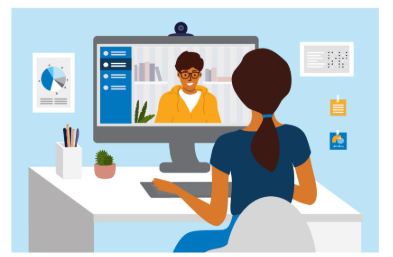
Virtual Interview Tips: How to Succeed in Online Job Interviews
Virtual interviews have become the new normal, with 86% of organizations conducting interviews online. Mastering virtual interview etiquette and technical setup can significantly increase your chances of success in today's remote work environment.
Professional Technical Setup
- Internet Connection: Test your connection speed (minimum 25 Mbps download/3 Mbps upload). Use Ethernet cable instead of WiFi when possible for stability.
- Professional Background: Use a neutral, uncluttered background or professional virtual background. Ensure proper lighting facing your face.
- Camera Position: Position camera at eye level using books or stand. Frame yourself from chest up with some headroom.
- Audio Quality: Use external microphone or headset for clear audio. Test audio levels before the interview.
Professional Setup Materials
Essential Equipment
- Camera: Webcam with at least 720p resolution
- Microphone: USB microphone or quality headset
- Lighting: Ring light or natural light source
- Software: Latest versions of Zoom, Teams, or platform being used
Pre-Interview Checklist
- Test all equipment 30 minutes before interview
- Close unnecessary applications and browser tabs
- Silence phone and notifications
- Have water and notes positioned discreetly
- Prepare backup connection plan (phone hotspot)
Professional Presentation
- Professional Attire: Dress professionally from head to toe as you would for in-person interview
- Eye Contact: Maintain eye contact by looking at the camera, not the screen
- Body Language: Use natural gestures and sit up straight. Avoid excessive movement
- Minimize Distractions: Inform household members, silence devices, close doors
Professional Communication Tips
Speak clearly and slightly slower than normal to account for potential audio lag. Pause briefly after the interviewer finishes speaking to ensure no lag interruption. Use the interviewer's name occasionally to build rapport. Nod and smile to show engagement since body language cues are more limited virtually. Practice with mock interviews to become comfortable with the virtual format.
Troubleshooting Protocol
Have the interviewer's phone number readily available in case of technical issues. Know how to quickly reconnect if disconnected. If audio/video issues persist, suggest switching to phone call while keeping video connection for non-verbal cues. Always have a backup device charged and ready.
Create Your Professional Resume Today
Put these tips into practice with our easy-to-use resume builder